Help Center

Search…

Get Started

Recording Notes

Managing Notes

Folders & Organization

Preferences & Settings

Billing & Plans

Account Settings

Get Started

Get Started

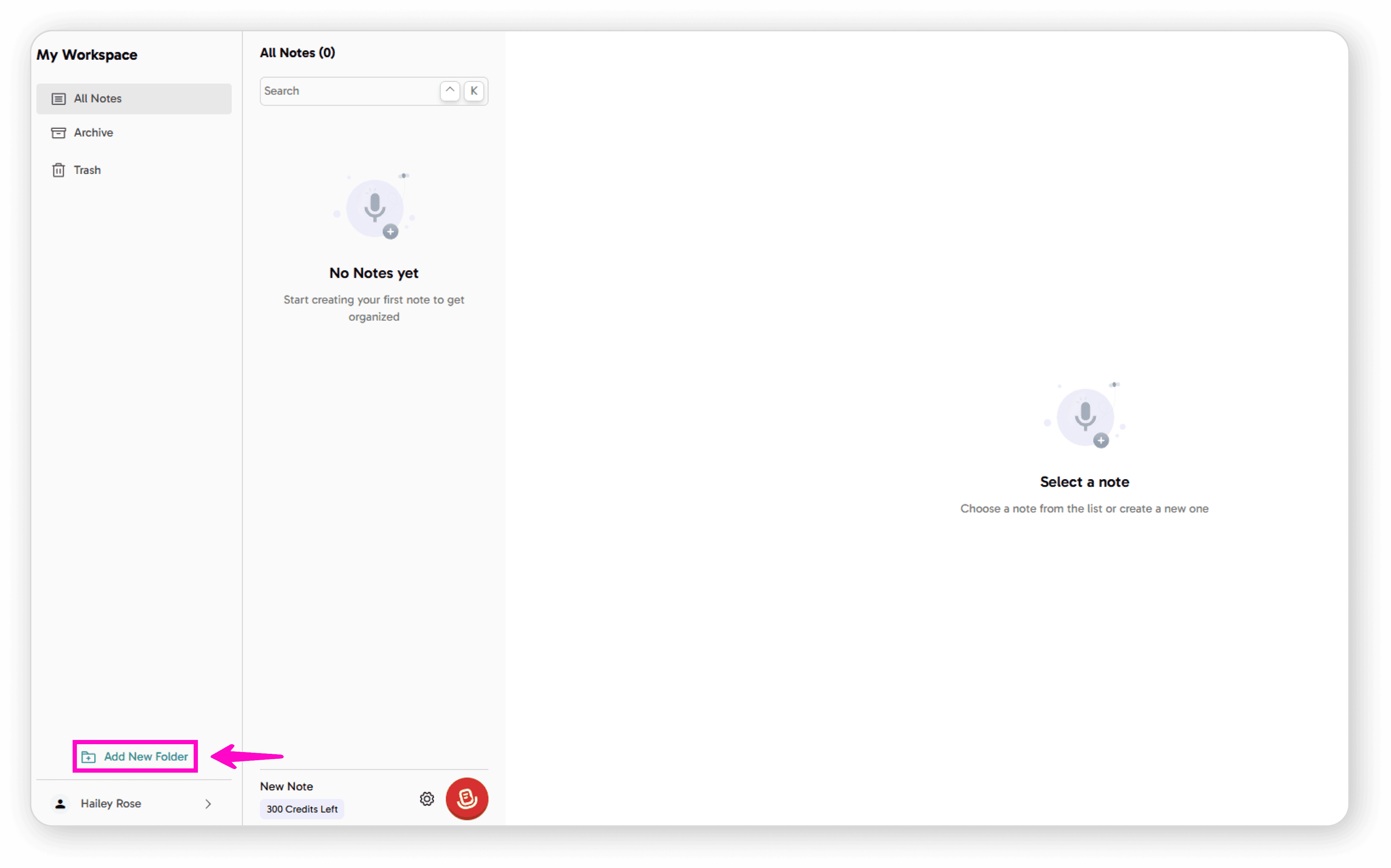
Create the Folder  

Click on "Add New Folder" 
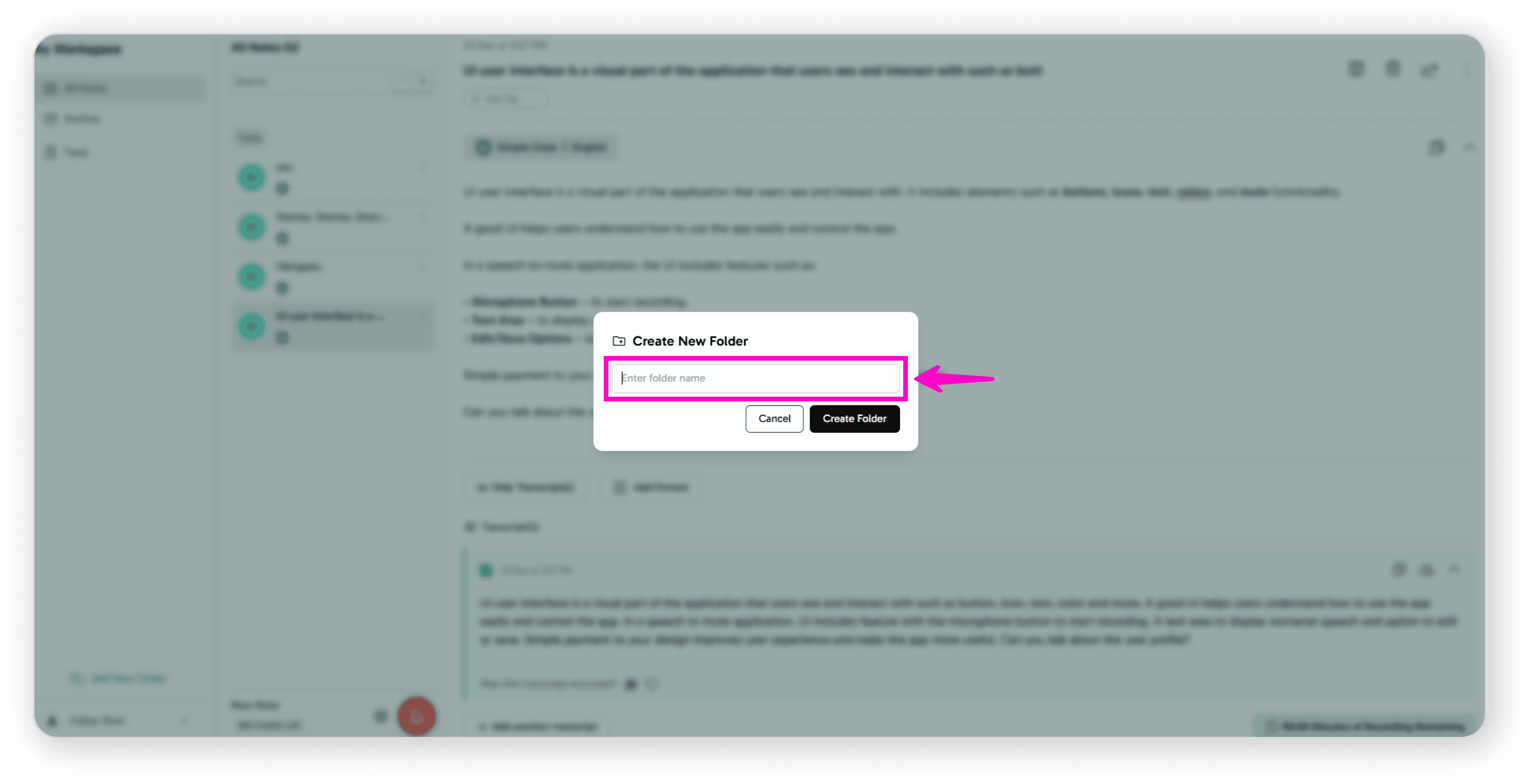
Enter your desired folder name 
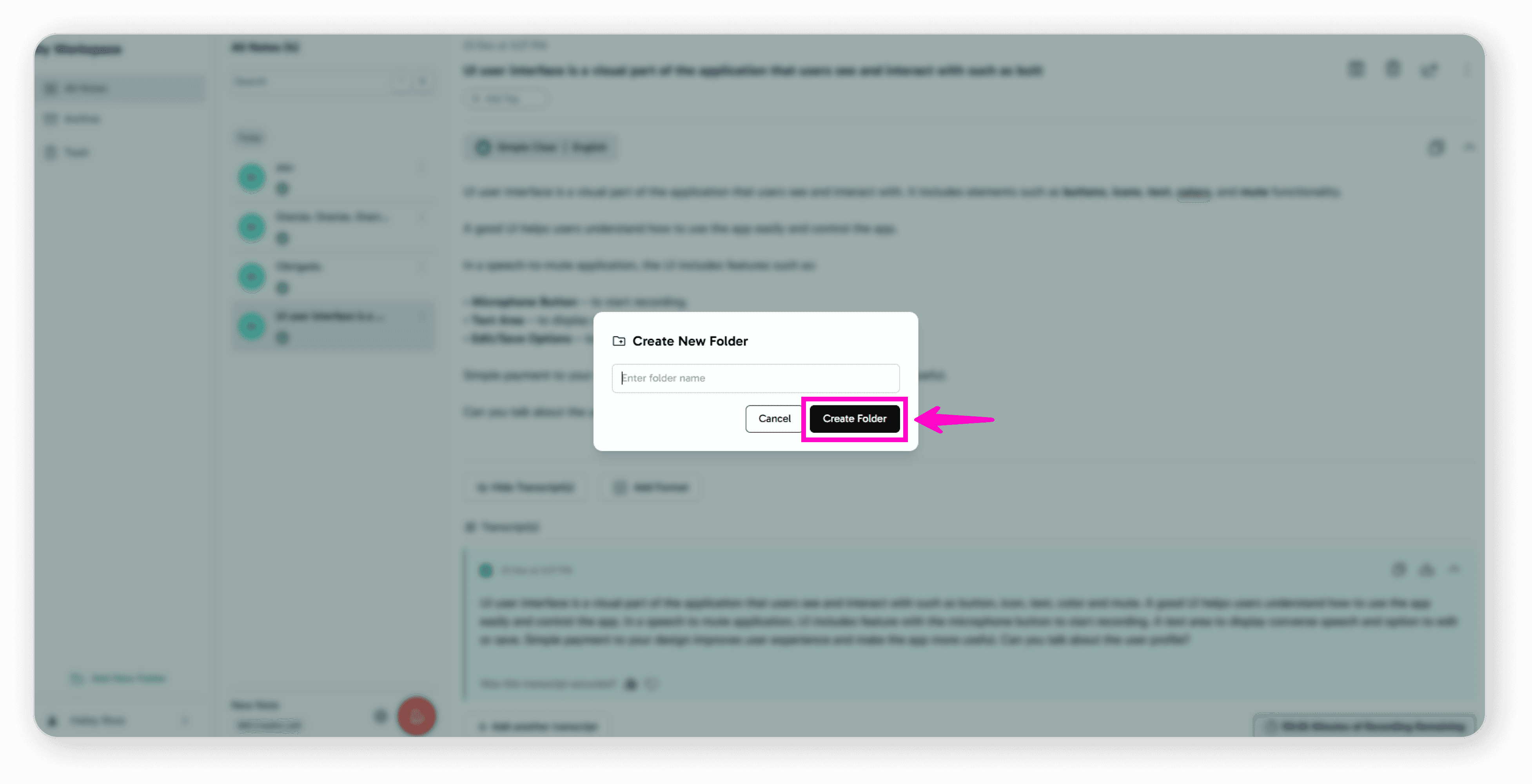
Click "Create Folder" 
Access Your Folder  

Your new folder will appear on your Dashboard 
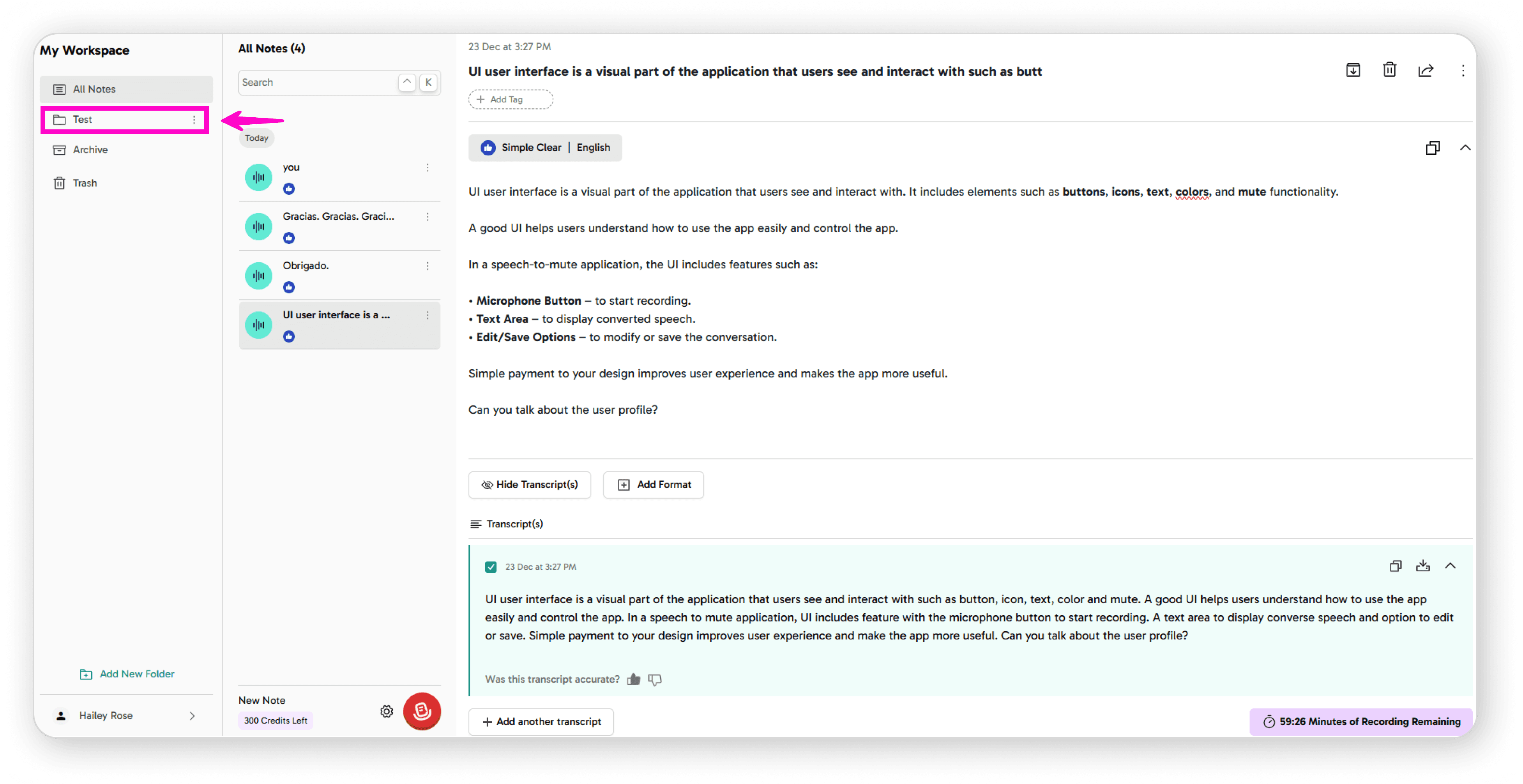
You can now use it to organize your notes 

That's it! You can create as many folders as you need to keep your recordings and notes well-organized. 

Instantly transform spoken words into organized summaries with AI.

©

2026

Speech to Note. All rights reserved

Made with ❤️ by Team Codesign | View our Privacy Policy & Terms.

Follow Us

Instantly transform spoken words into organized summaries with AI.

©

2026

Speech to Note. All rights reserved

Made with ❤️ by Team Codesign

View our Privacy Policy & Terms.

Follow Us

Instantly transform spoken words into organized summaries with AI.

©

2026

Speech to Note. All rights reserved

Made with ❤️ by Team Codesign

View our Privacy Policy & Terms.

Follow Us

