Help Center
Search…
How to Reset Your Forgotten Password
If you've forgotten your password, follow these steps to reset it:
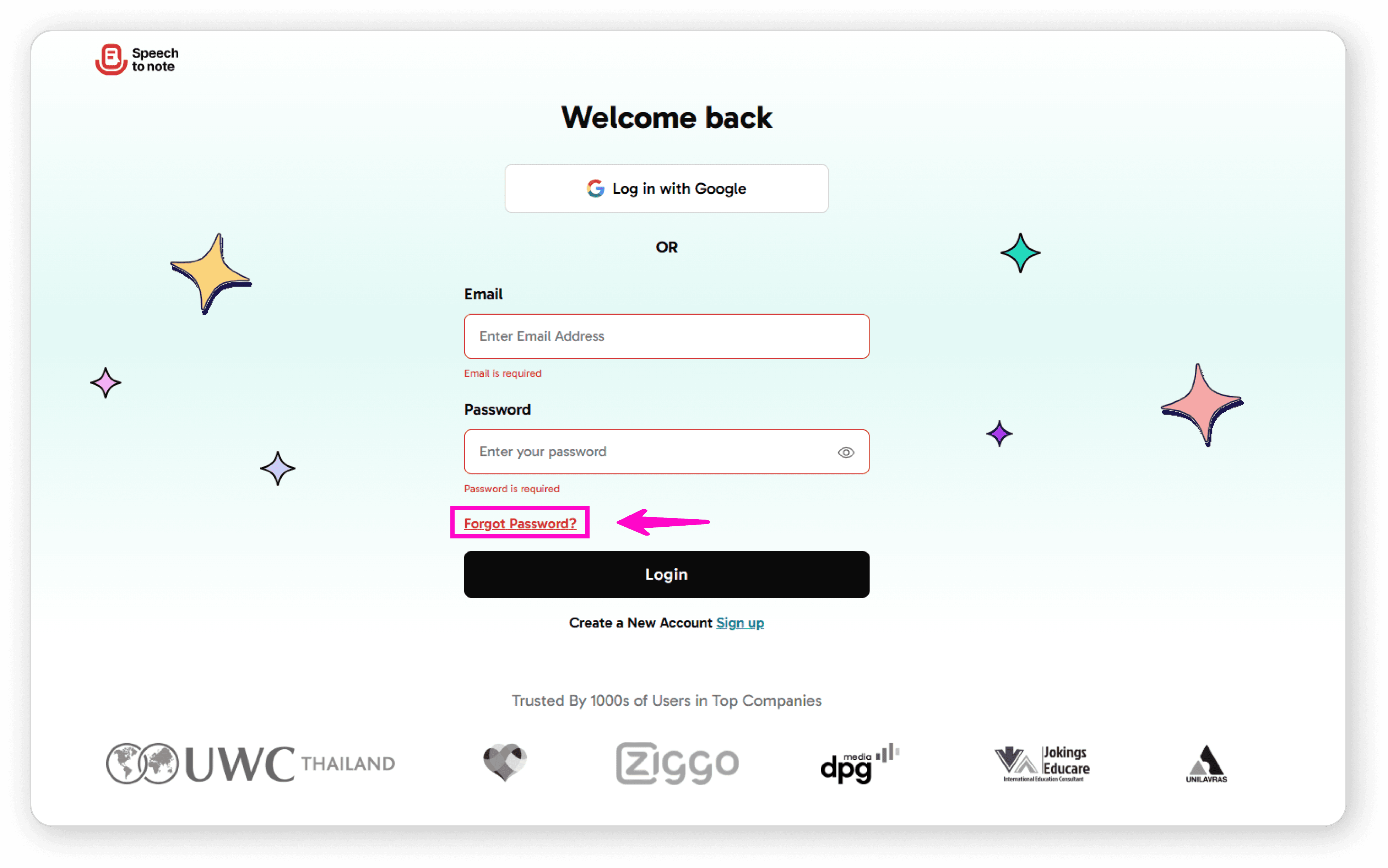
Click on "Forgot Password" on the login screen
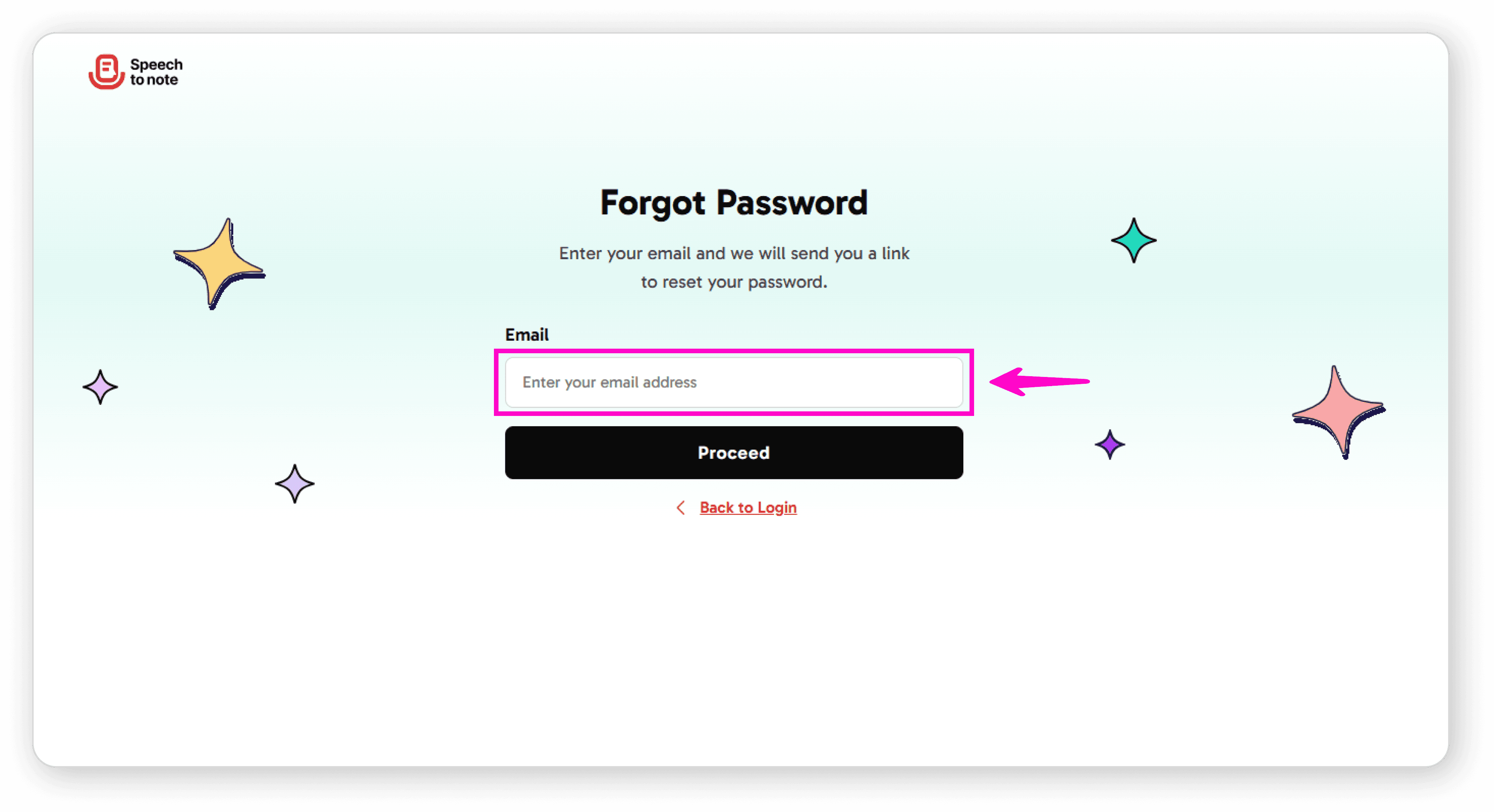
Enter your registered email address
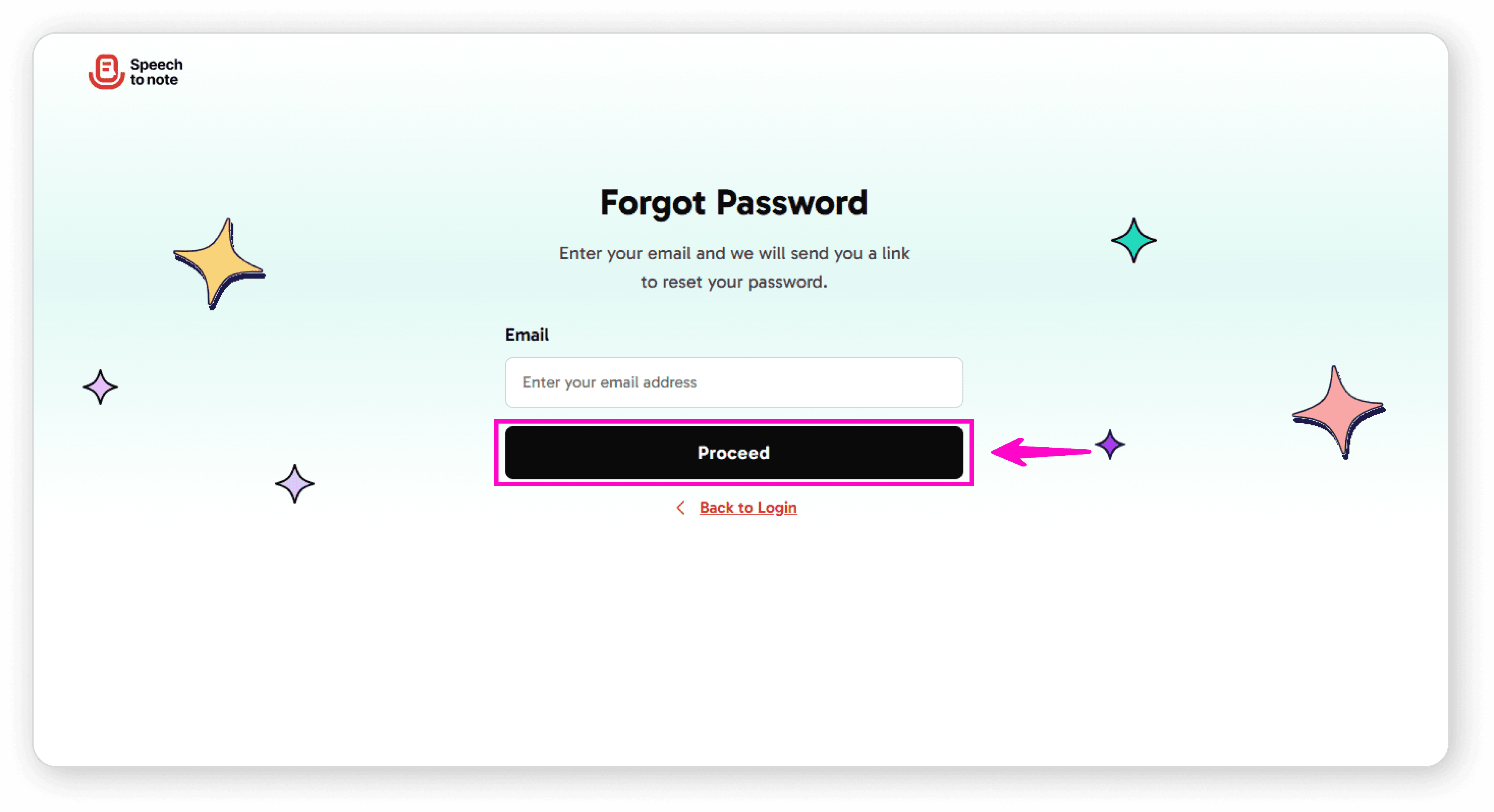
Click "Proceed"
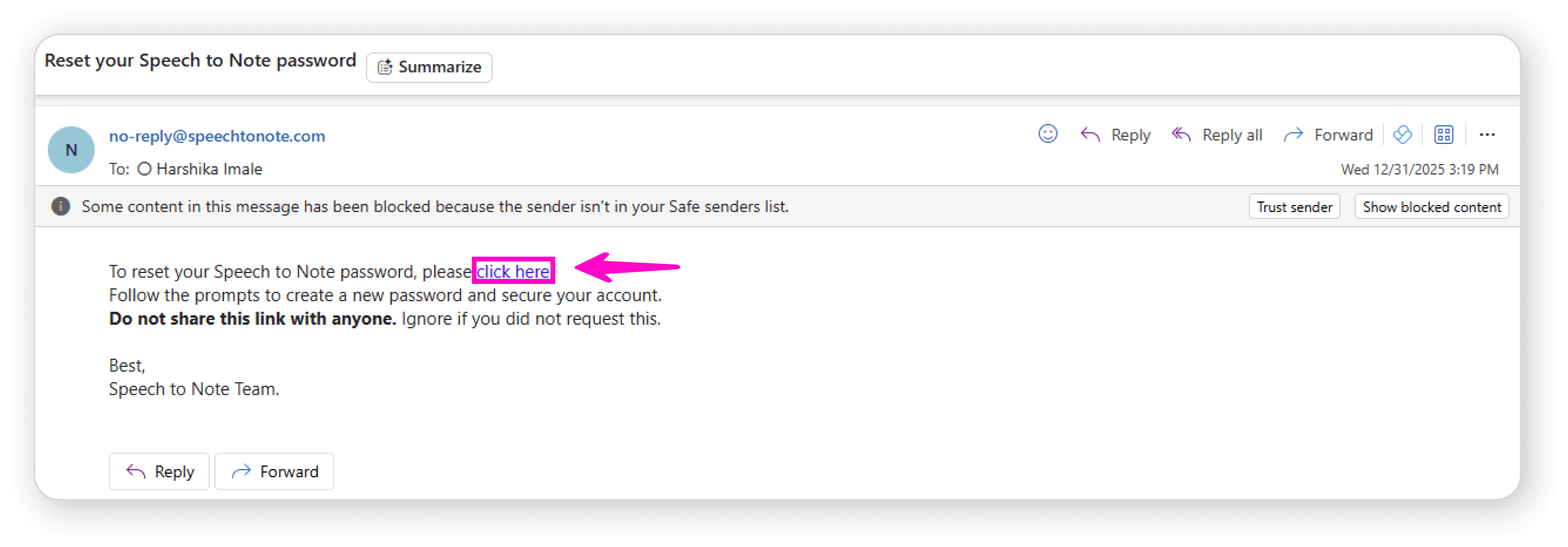
Open your email inbox and look for an email from Speech to Note
Click on the "Click Here" link in the email
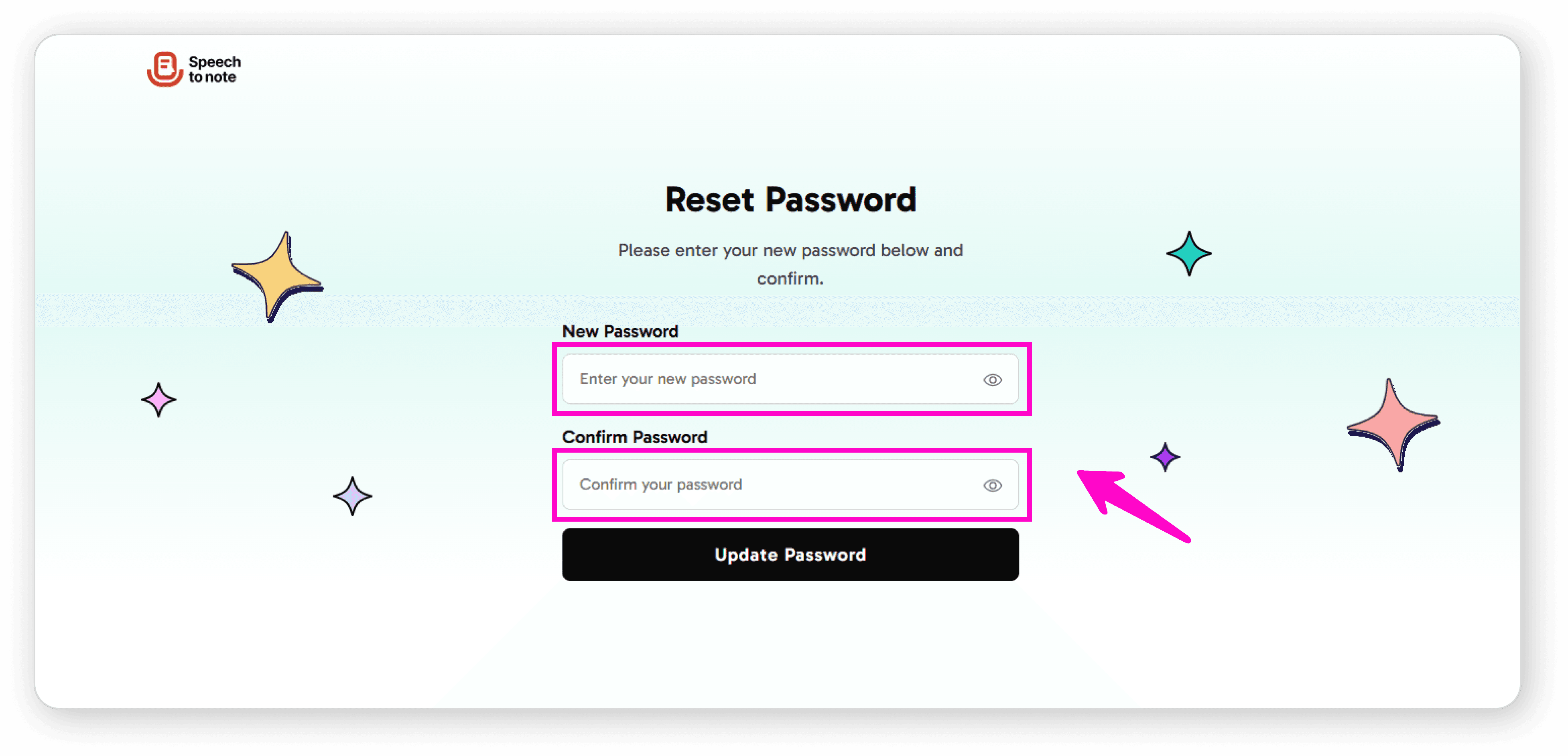
Enter your new password in both the "New Password" and "Confirm Password" fields
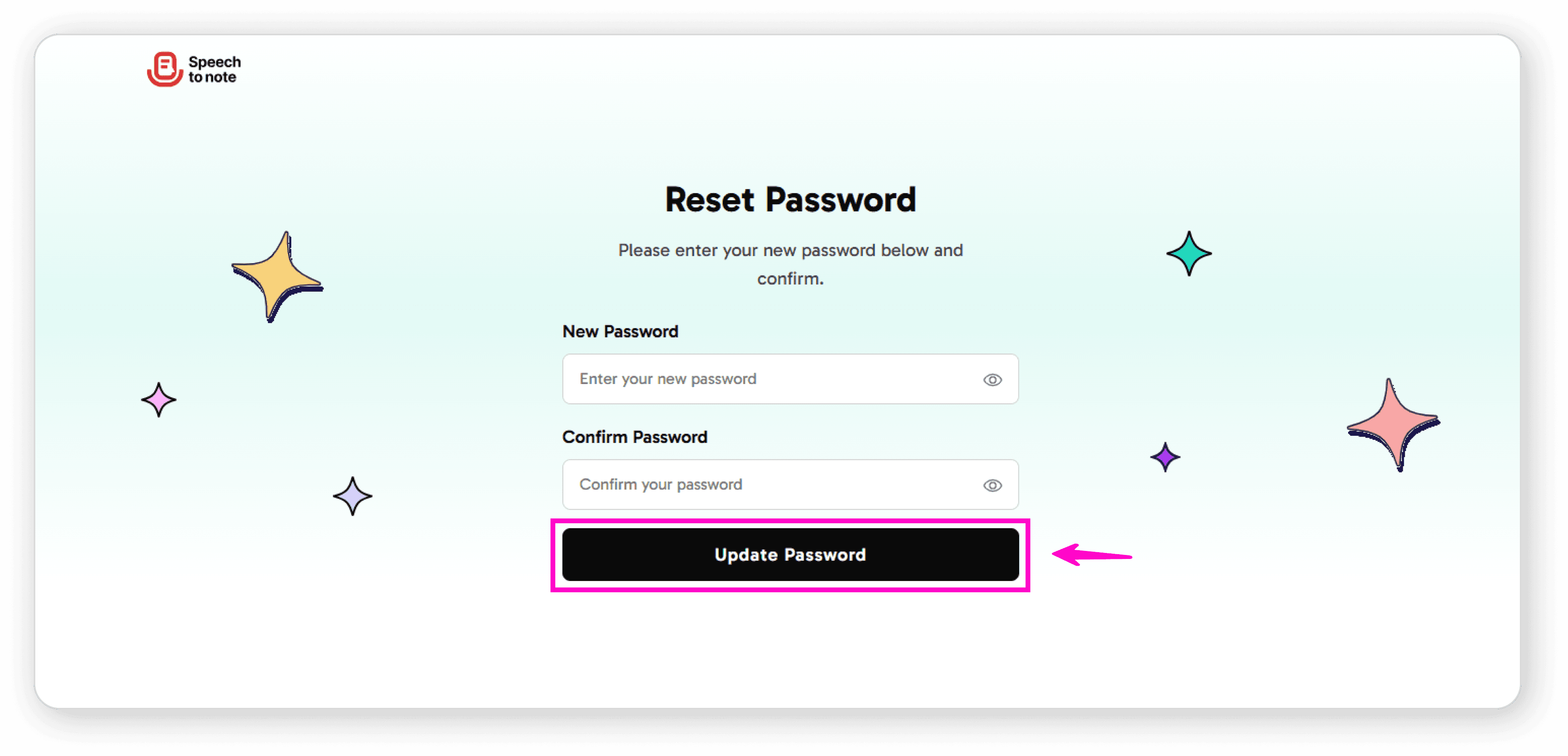
Click "Update Password"
Return to the login page and sign in with your new password
The application will open automatically
Note: If you don't see the email, please check your spam or junk folder.





