1. New Note Content UI
Cleaner, Focused, and Scannable
We've rebuilt the note content experience from the ground up. The interface is now more focused, allowing you to interact with your transcripts and formats without distraction.
- Redesigned Layout: Formats now transition from a vertical column to a horizontal row view. This gives you a wider, more scannable overview of your content at a glance.
- Smart Overflow Handling: When content exceeds your screen width, items gracefully collapse into a "Plus More" dropdown.
- Accessible Design: The layout maintains full accessibility even when content overflows, ensuring everything remains easy to interact with.
2. Draggable Floating Action Button (FAB)
Consolidated Actions & Total Control
The FAB is now your central command center, designed to stay out of your way while keeping your most-used tools within reach.
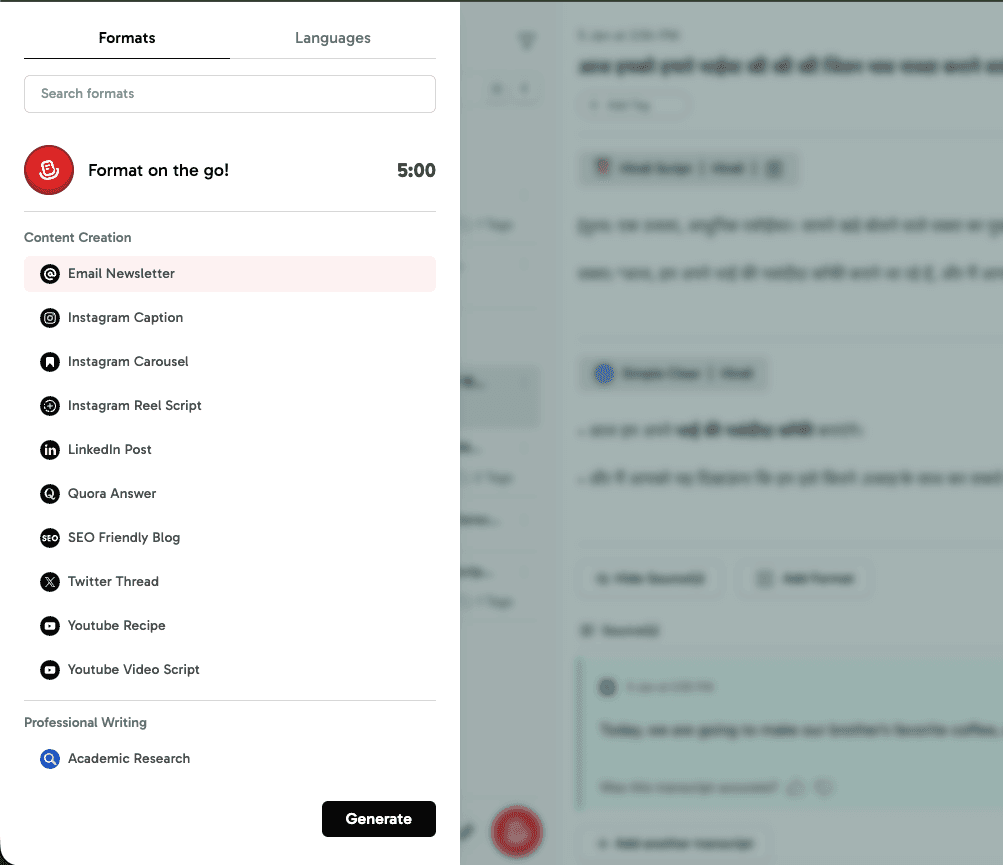
- 3 Core Actions: We've consolidated the primary features into one central button — fewer taps, faster access.
- Format on the Go: Quickly add new transcripts and apply formats right from the FAB.
- Draggable UI: By popular demand, the FAB is now draggable. You can position it anywhere on the screen so it never blocks your view.
3. Format V3 & Collections (Beta)
Massive UI Overhaul: From Single Selection to Power-Workflows
We've completely reimagined how you interact with content formats. Format V3 isn't just a fresh coat of paint; it's a total shift in how you process information, allowing you to generate multiple outputs from a single recording.
What's New in the Interface
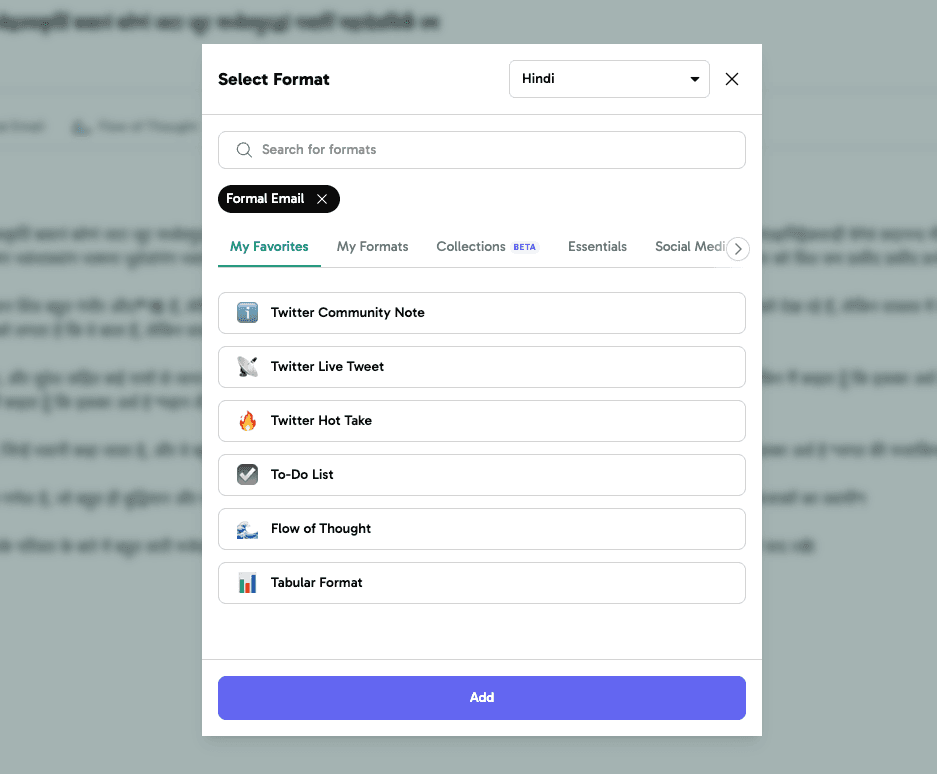
- The Multi-Select Modal: Gone is the old "one-at-a-time" selection. The new UI allows you to search, filter, and select multiple formats simultaneously. Selected formats now appear as high-visibility tags (e.g., "Formal Email") right within the picker.
- Instant Context Switching: We've introduced a category-based tab system (My Favorites, My Formats, Collections, Essentials, Social Media) so you can find the perfect structure without endless scrolling.
- Dedicated Search & Language Control: A new persistent search bar and a prominent language selector ensure you have full control over the output before you hit "Add."
Introducing Format Collections
- Batch Processing: You no longer need to manually select formats every time. Head to the Settings page under the Note Preference section to group up to 5 frequently used formats into a "Collection."
- One-Click Application: Once saved, your custom Collections appear as a single option in your Recorder Settings. Select your "Meeting Bundle" or "Social Media Pack," and the app will generate all those formats in one go immediately after you finish recording.
Why This Matters
- Before: You had to generate a summary, wait, then manually select a "To-Do List," and wait again.
- Now: Select your Collection, record your thought, and walk away with a Summary, an Email draft, and a Twitter thread — all generated in a single instance.
Before vs. After — The old workflow required picking one format at a time and waiting for each. With Collections, you select once and get all your formats generated instantly.
Workflow Migration: Old vs. New
| Task | The Old Way (Single-Select) | The New Way (Collections) |
|---|---|---|
| Selection | Pick one format, wait for generation. | Pick 5 formats at once or a "Collection." |
| Repetition | Manually select the same 3 formats every day. | Create a "Collection" once; use it forever. |
| Speed | 3 formats = 3 separate clicks & wait times. | 3 formats = 1 click & instant generation. |
| Setting Up | No central place to save your "bundles." | Centralized setup in Note Preferences. |