Input Methods
Explore different ways to input audio into Speech to Note.
Choose Your Input Method
Record live audio using your microphone, or
Upload an existing audio file
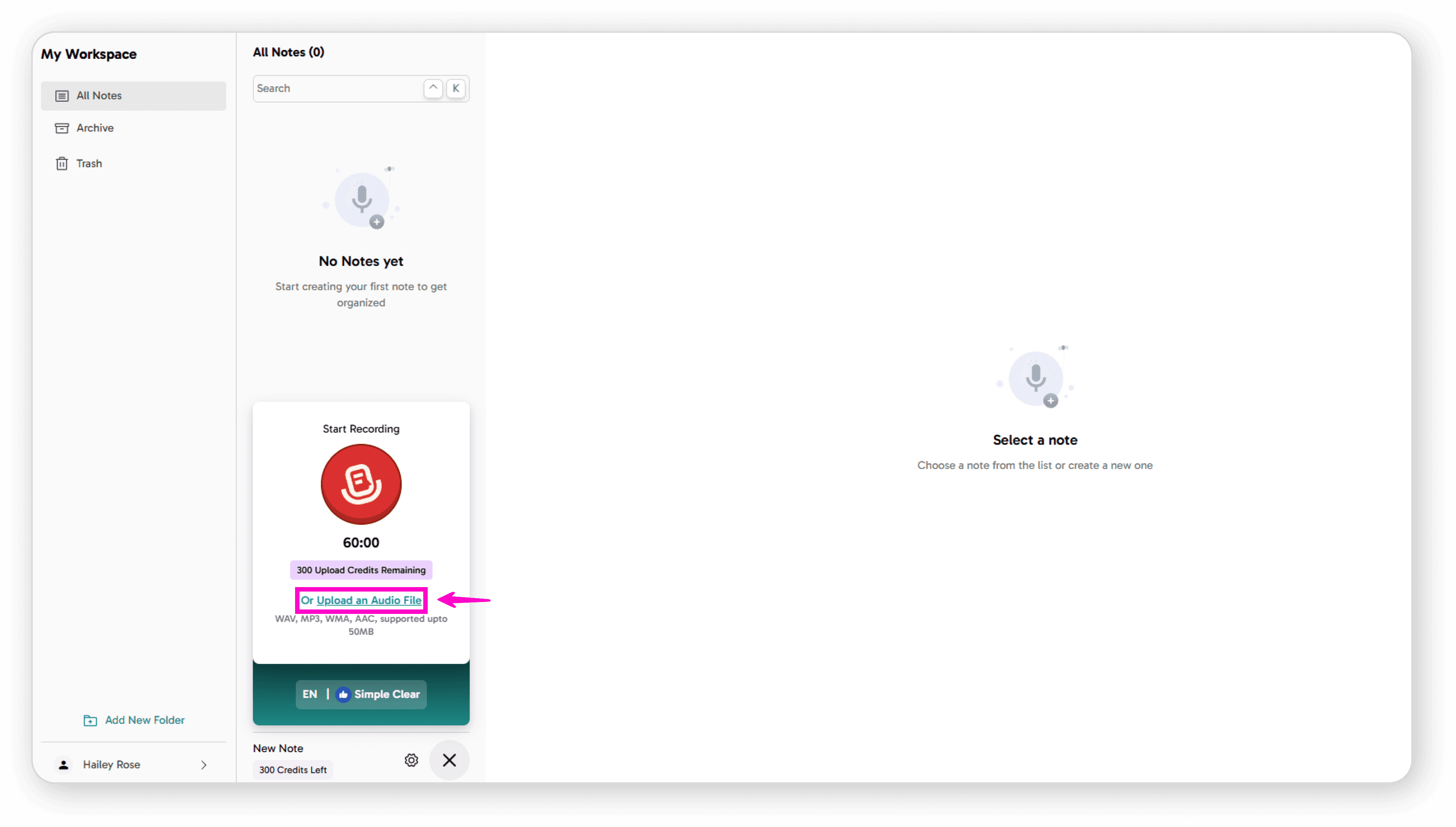
How to Configure Input Settings
Adjusting Your Microphone Settings
Follow these simple steps to set up your audio input:
Open Settings
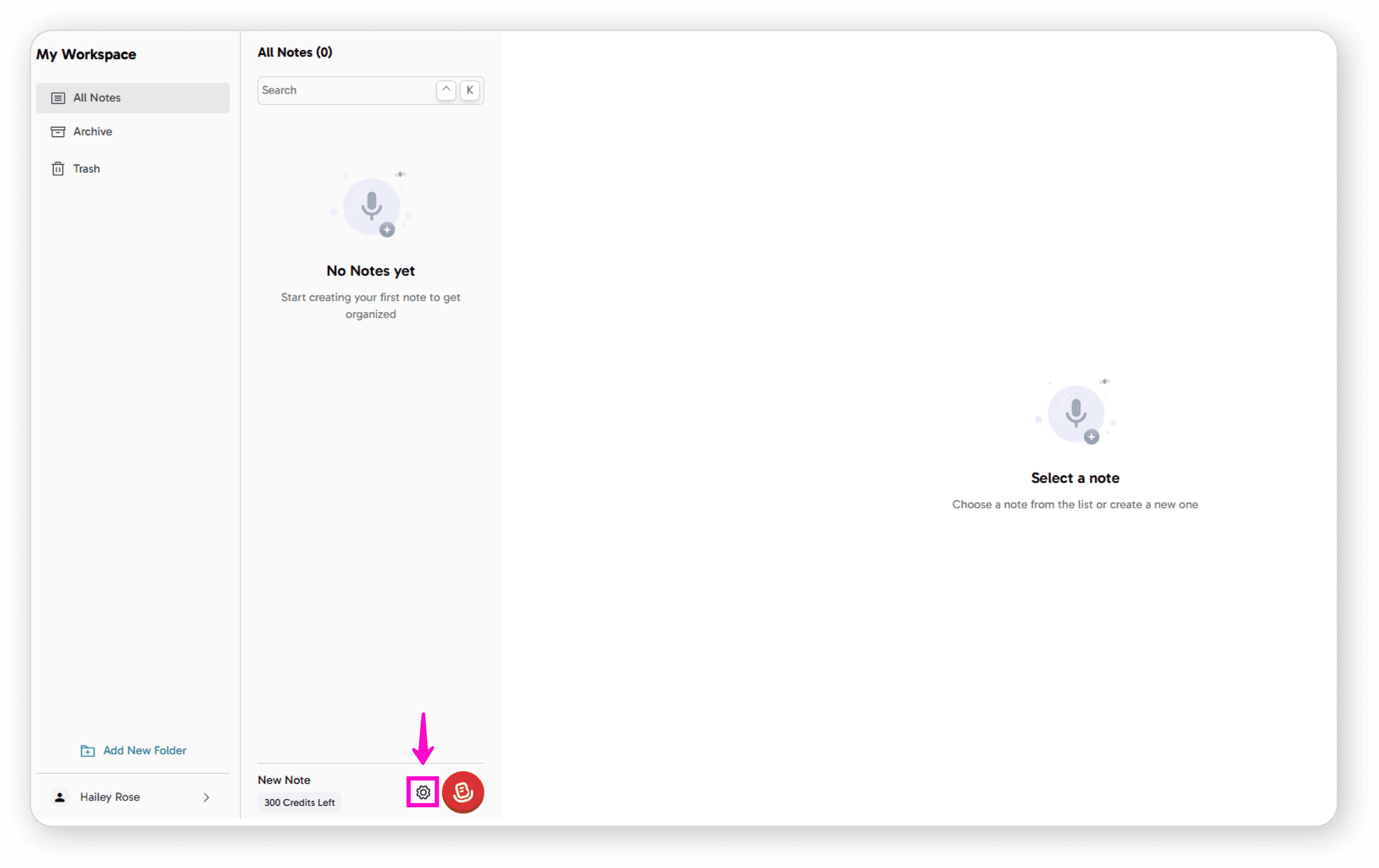
Click on the Settings icon
Select Your Microphone
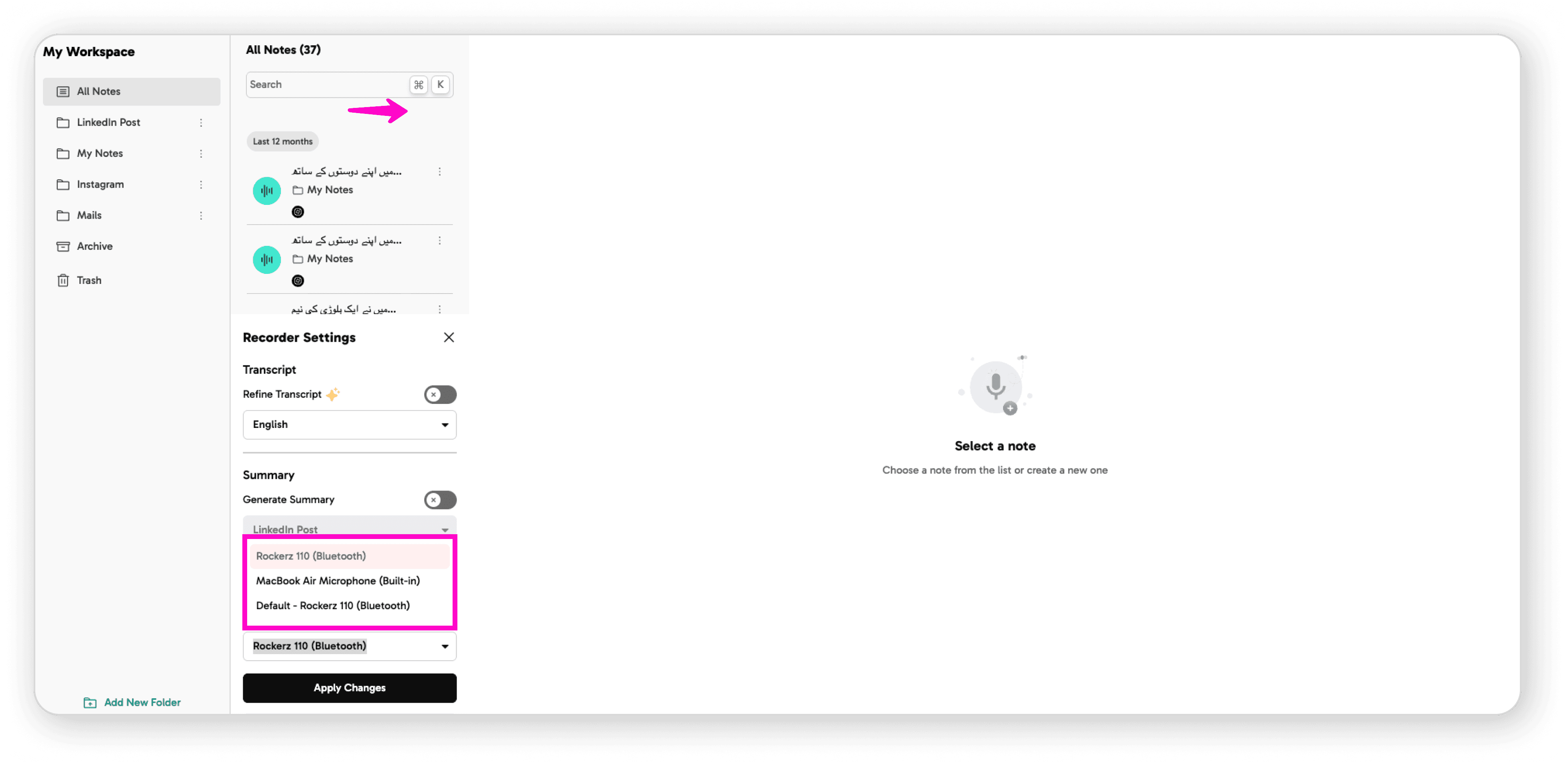
Click on "Choose Mic"
Select the microphone that best suits your needs from the available options
Save Your Changes
Click "Apply Changes" to save your microphone selection
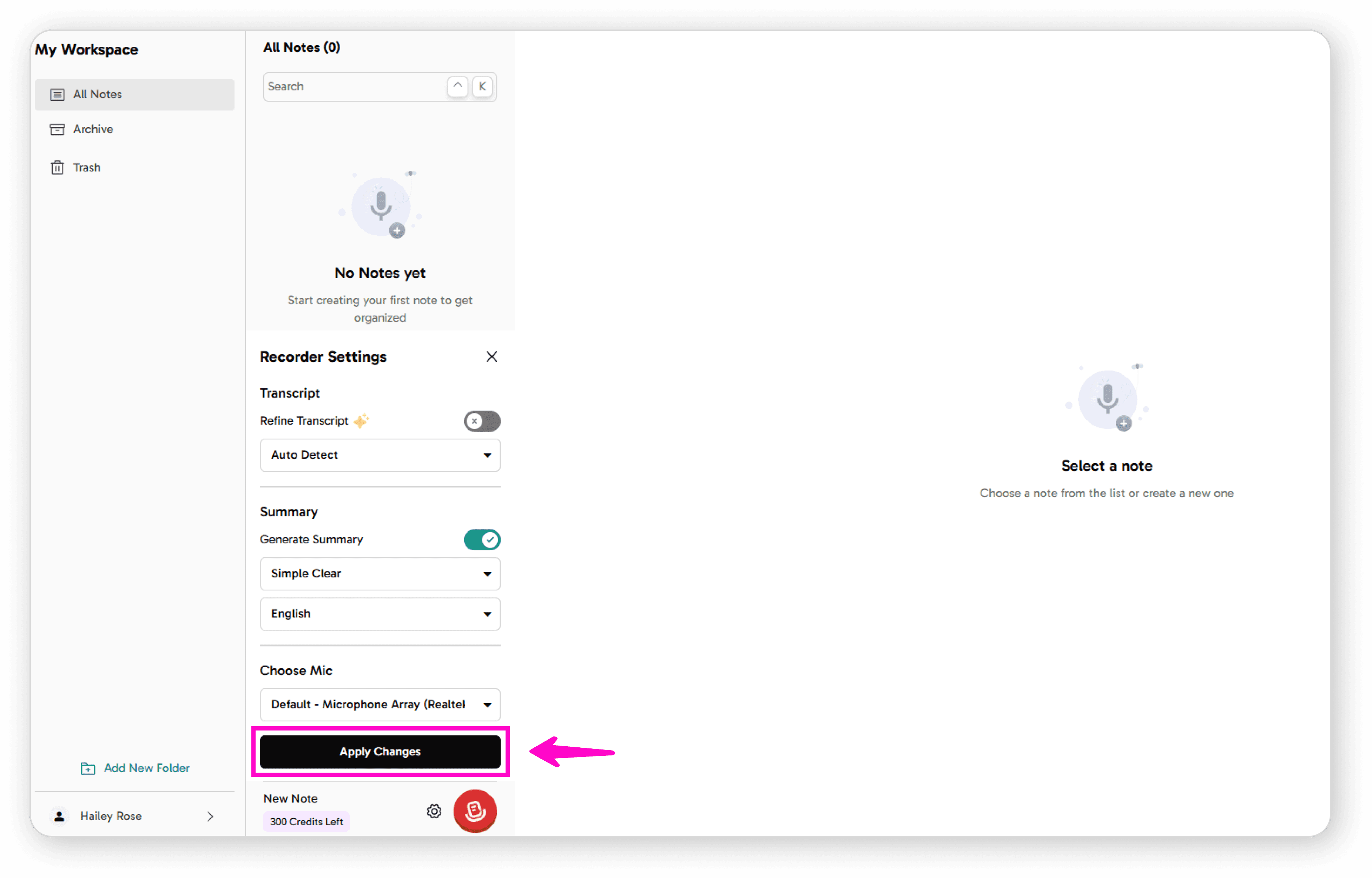
Your input settings are now configured and ready to use for recording.