Archive & Unarchive Notes
Archive notes to keep your workspace clean.
Archiving a Note
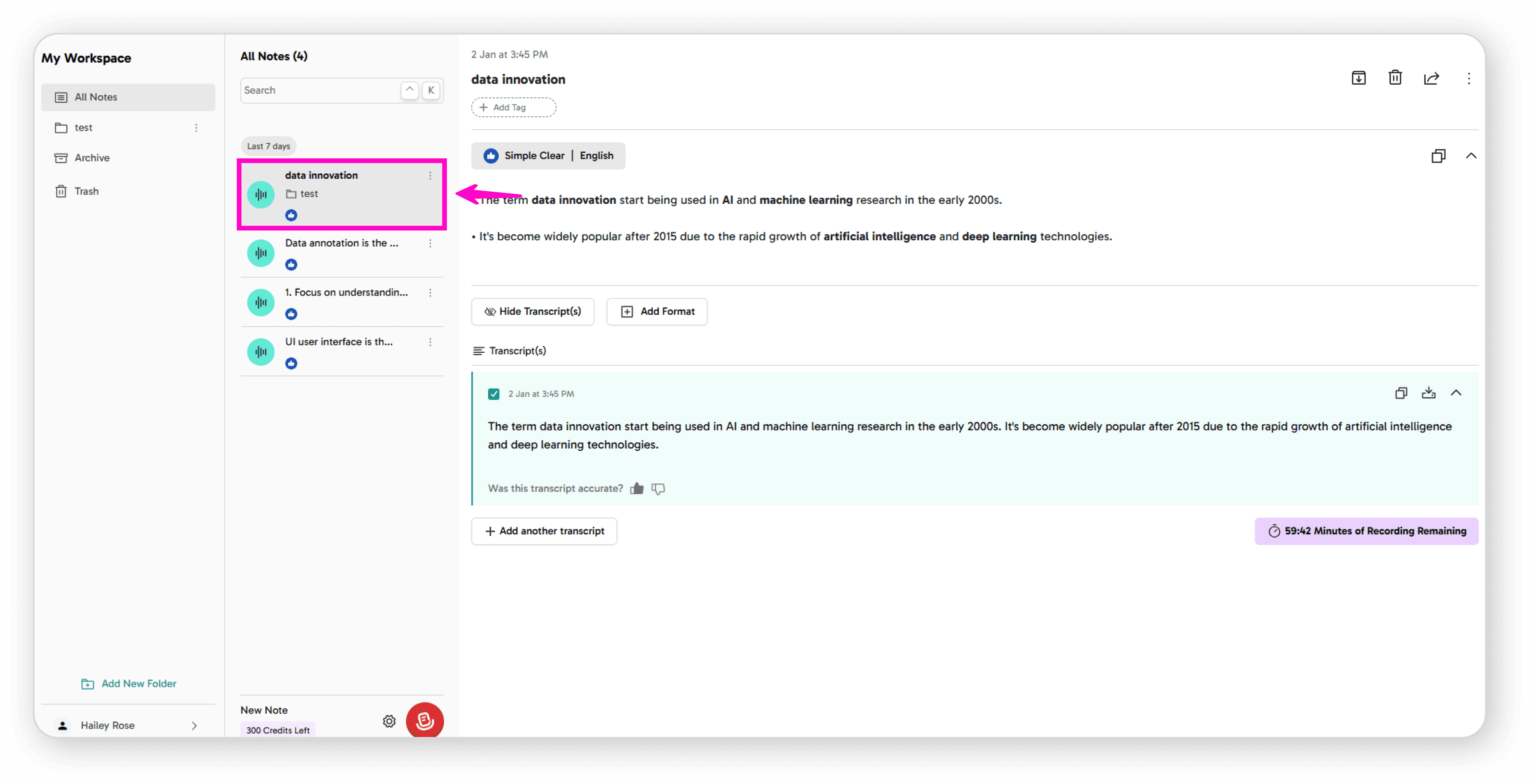
Open the note you want to archive
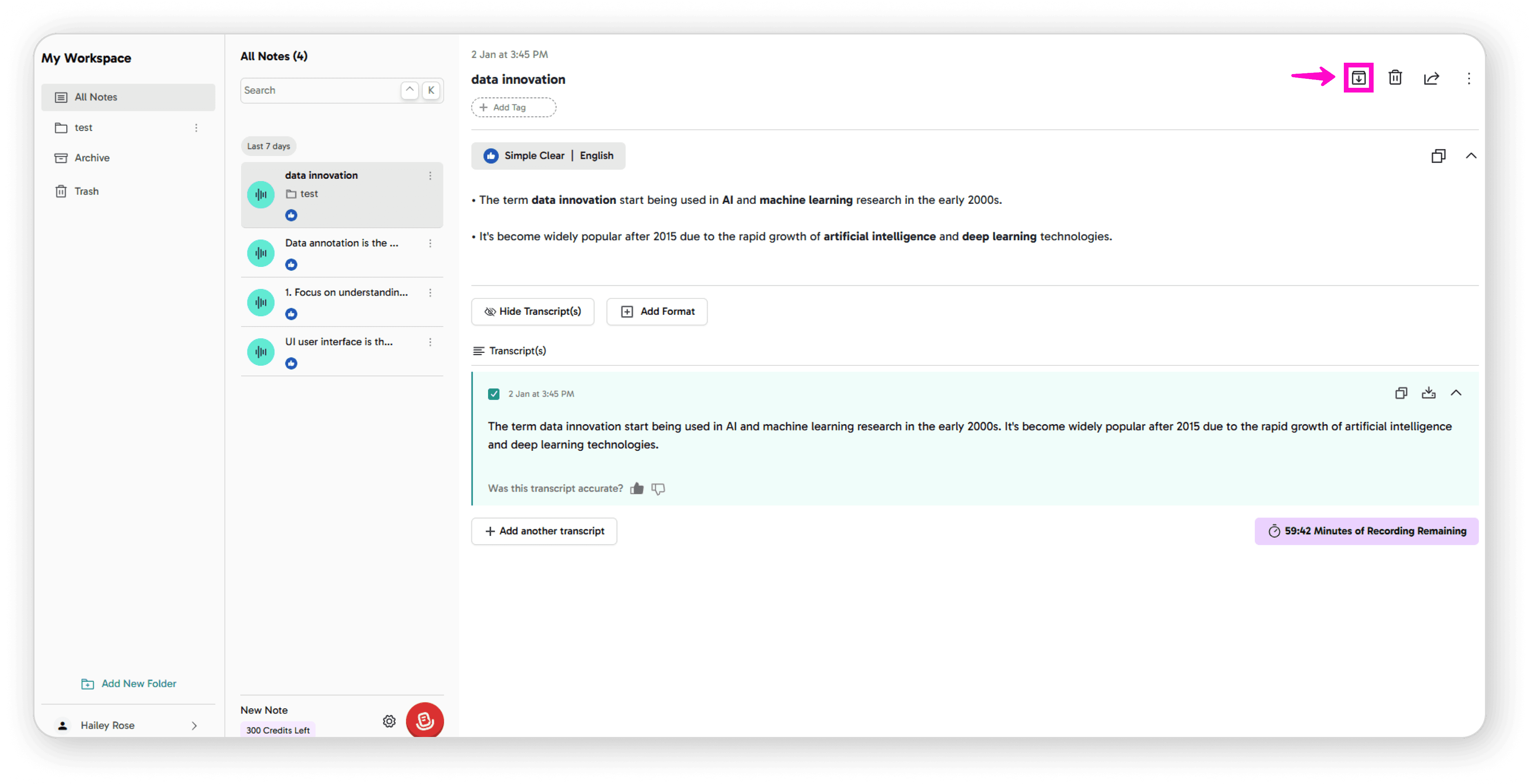
Click on the Archive icon
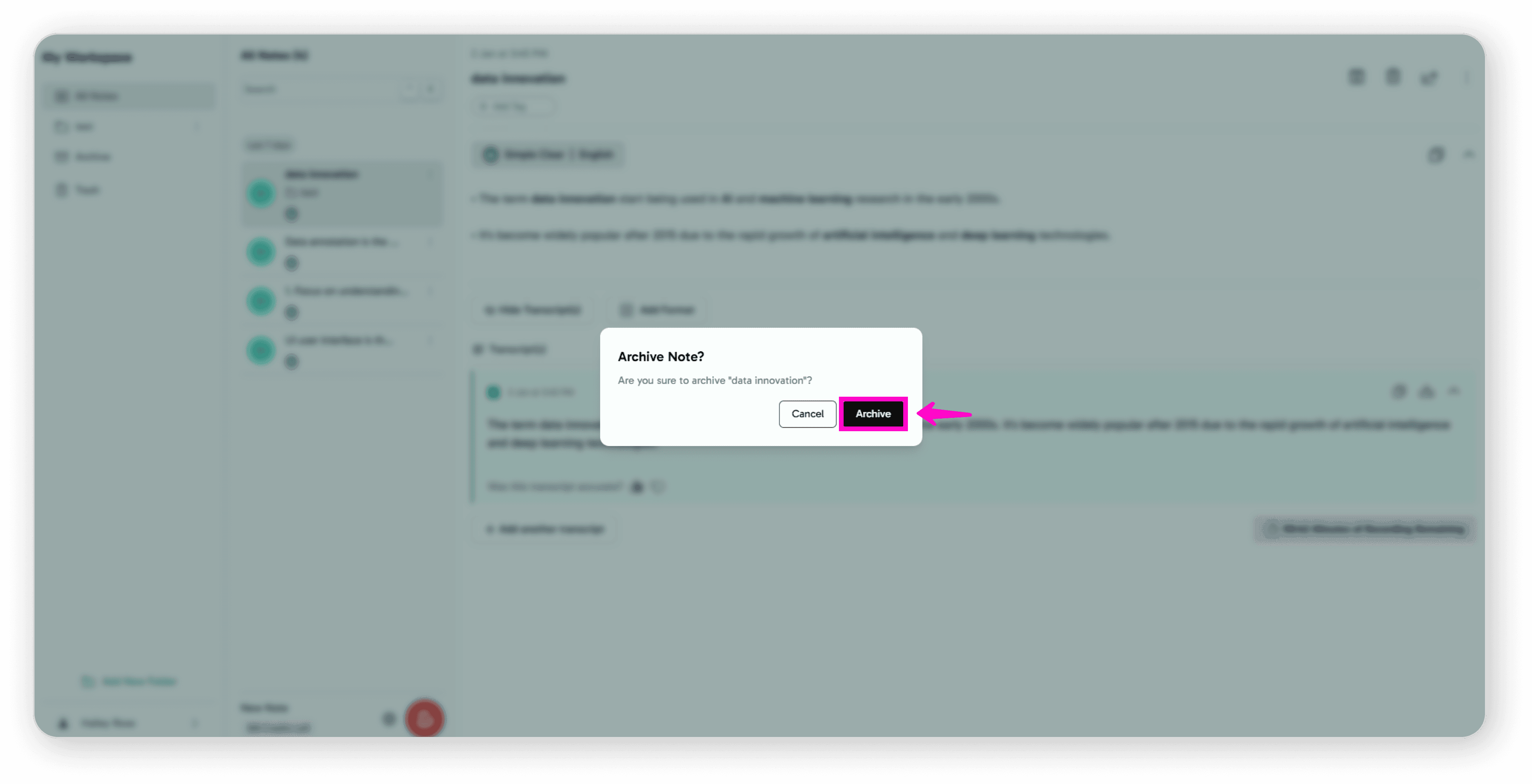
Confirm by clicking Archive
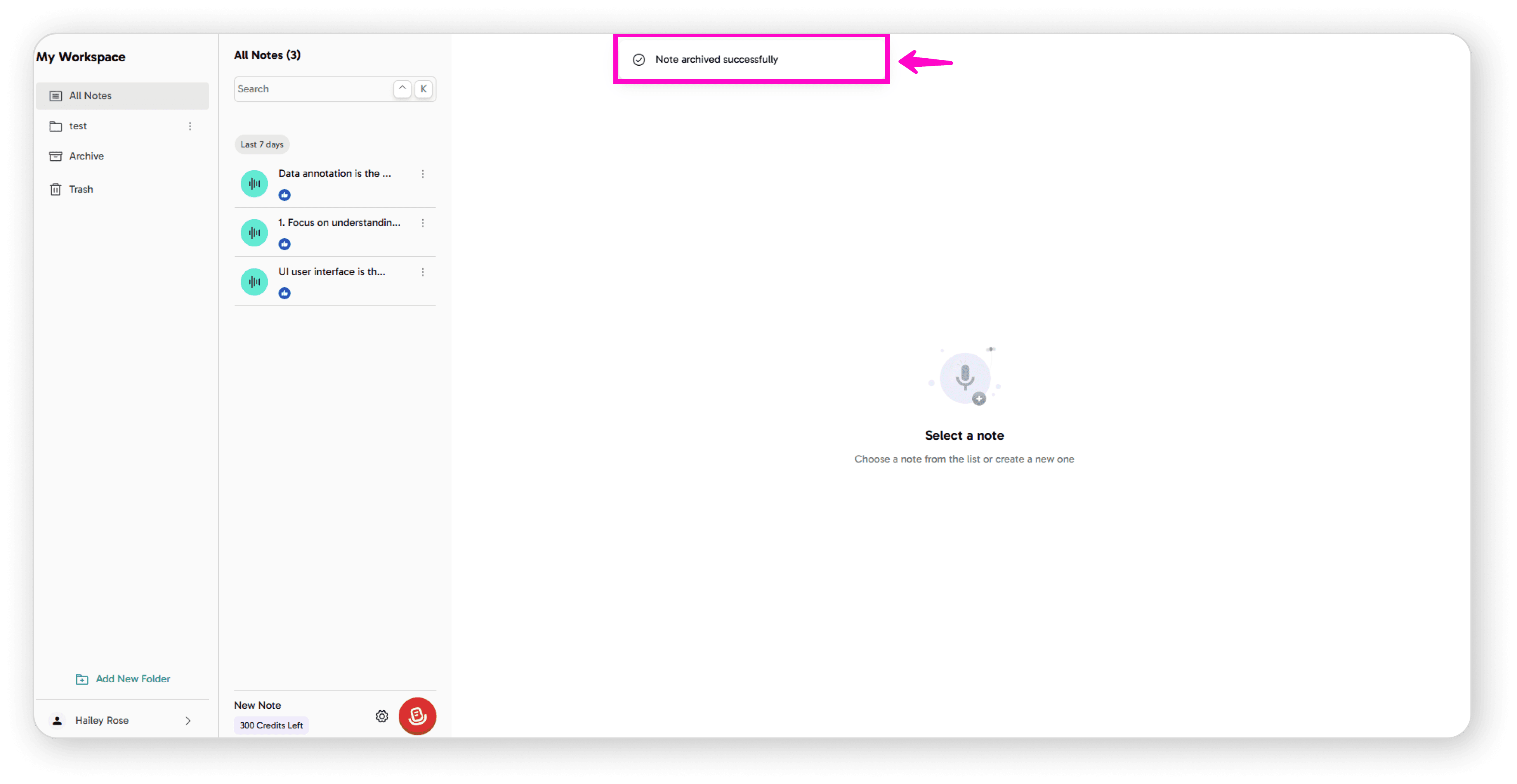
Your note will be moved to the archive successfully.
Unarchiving a Note
You have two options to unarchive:
Option 1: From Archive View
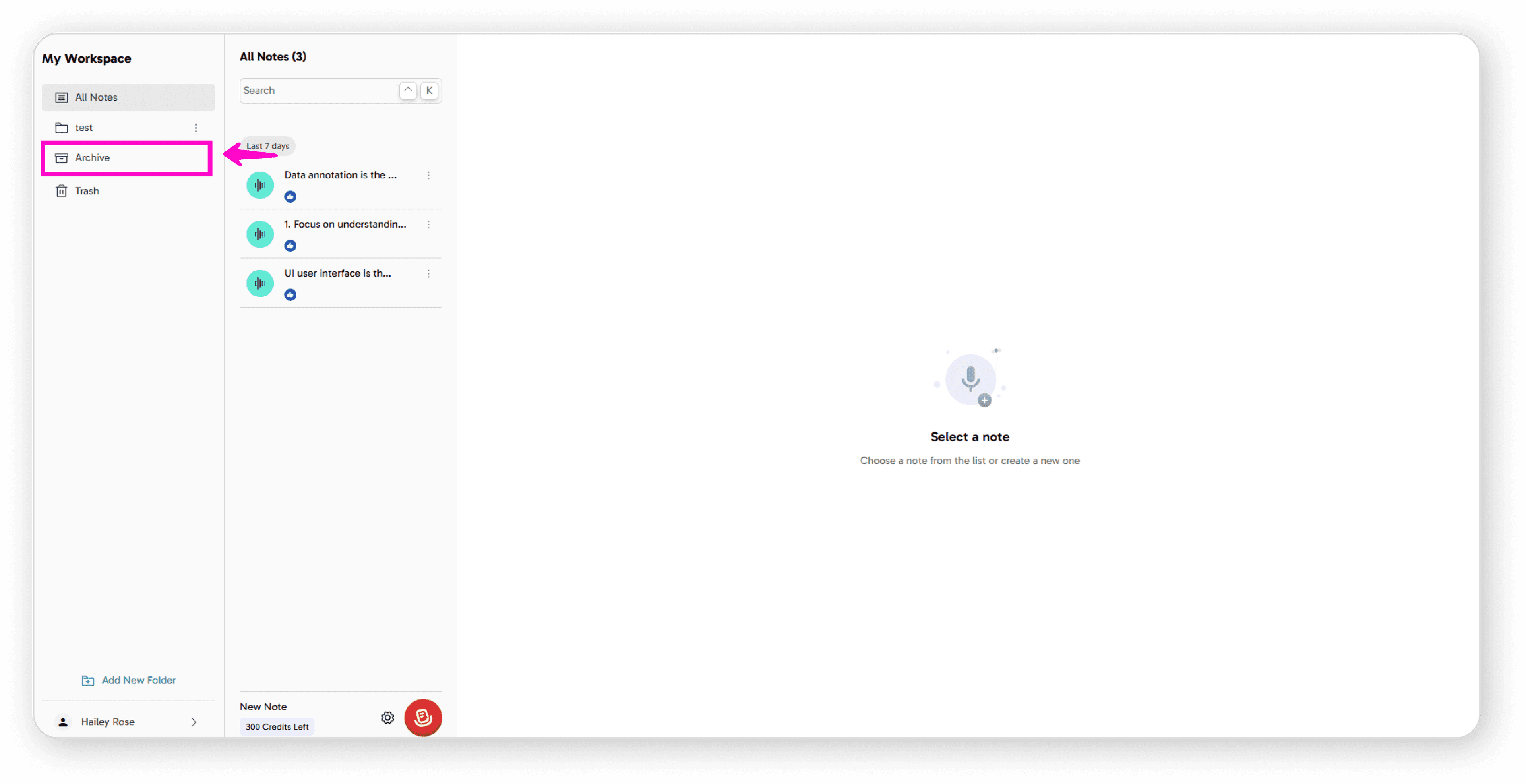
Click on Archive in the sidebar
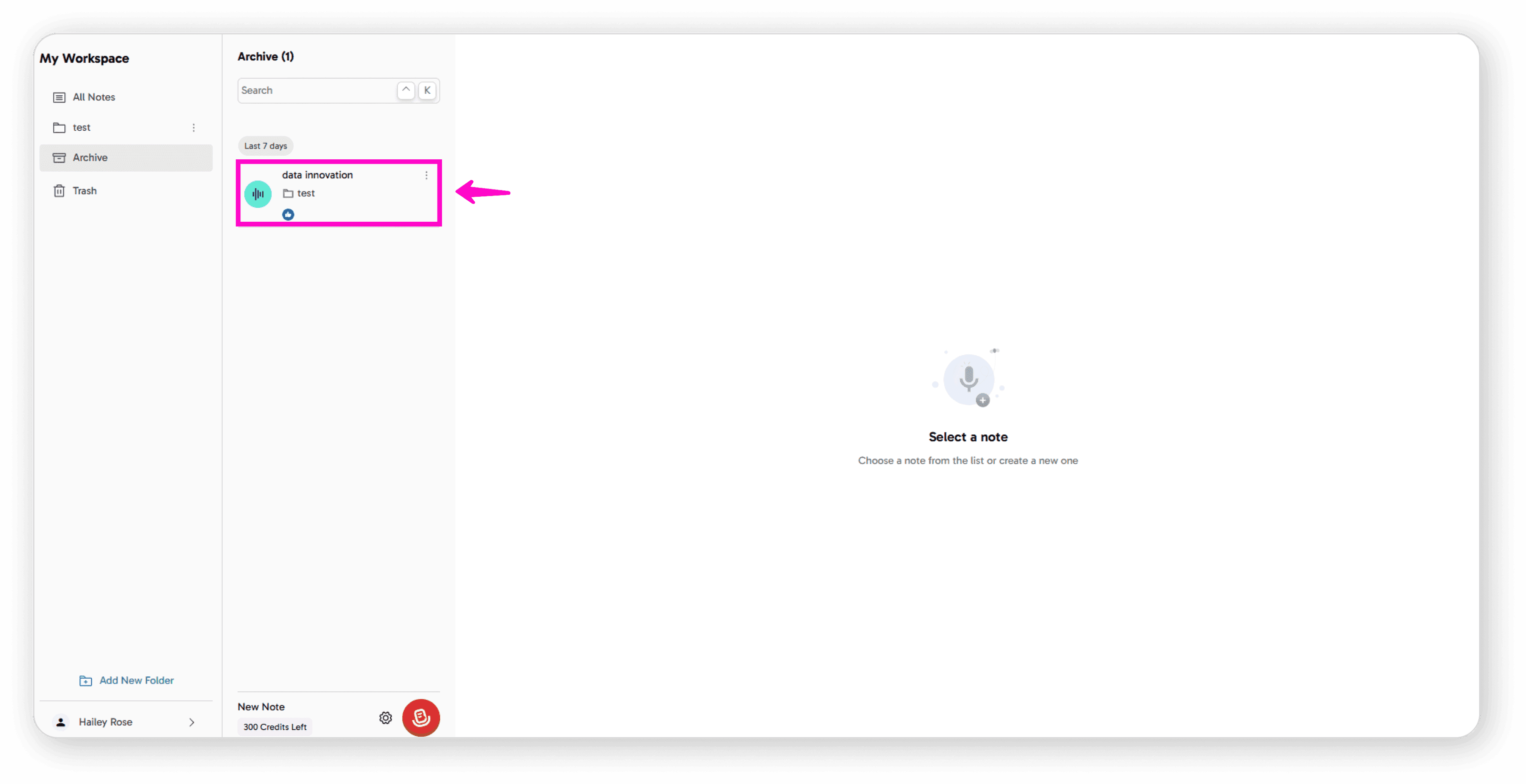
Find the note you want to unarchive
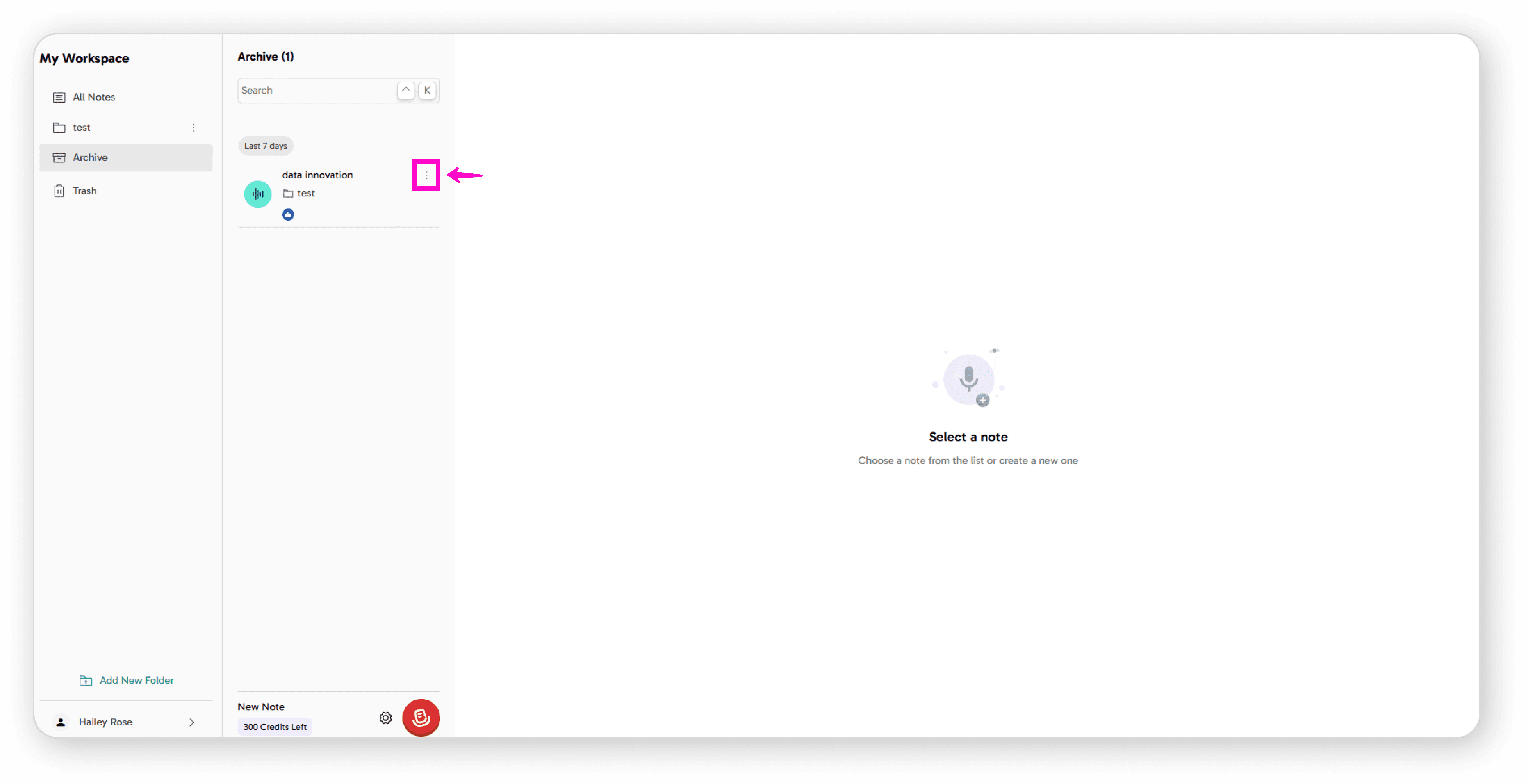
Click the 3-dot menu
Click Unarchive icon
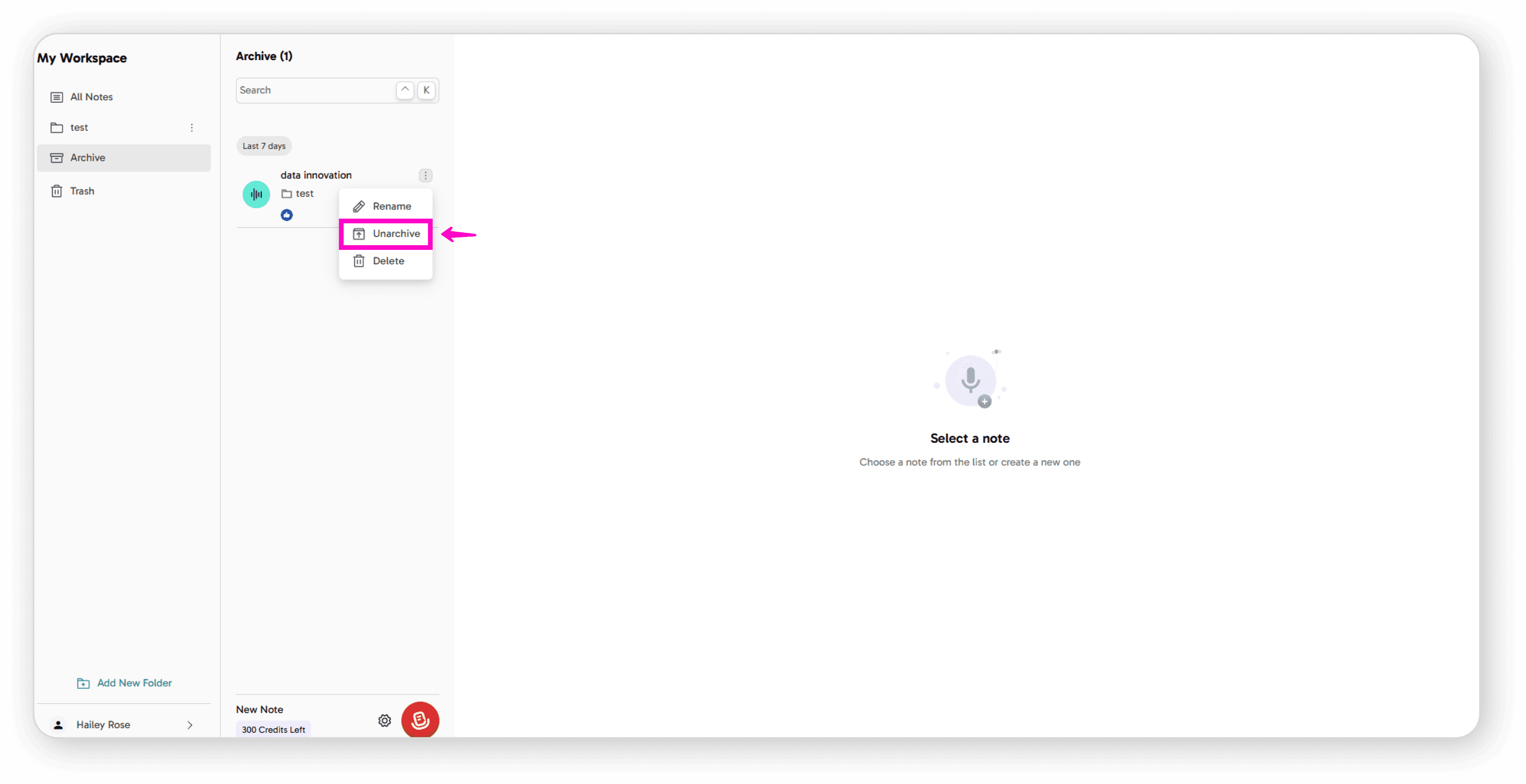
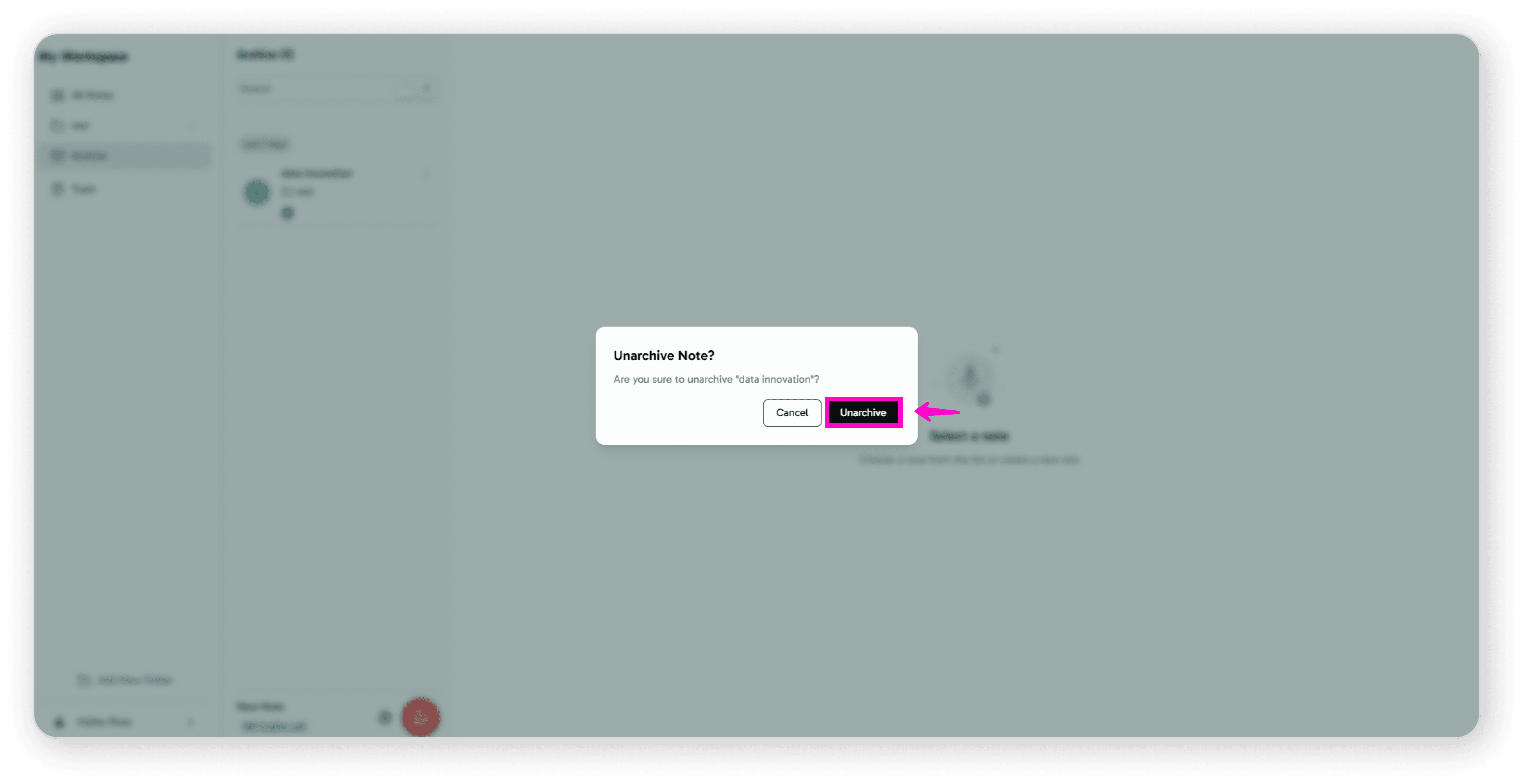
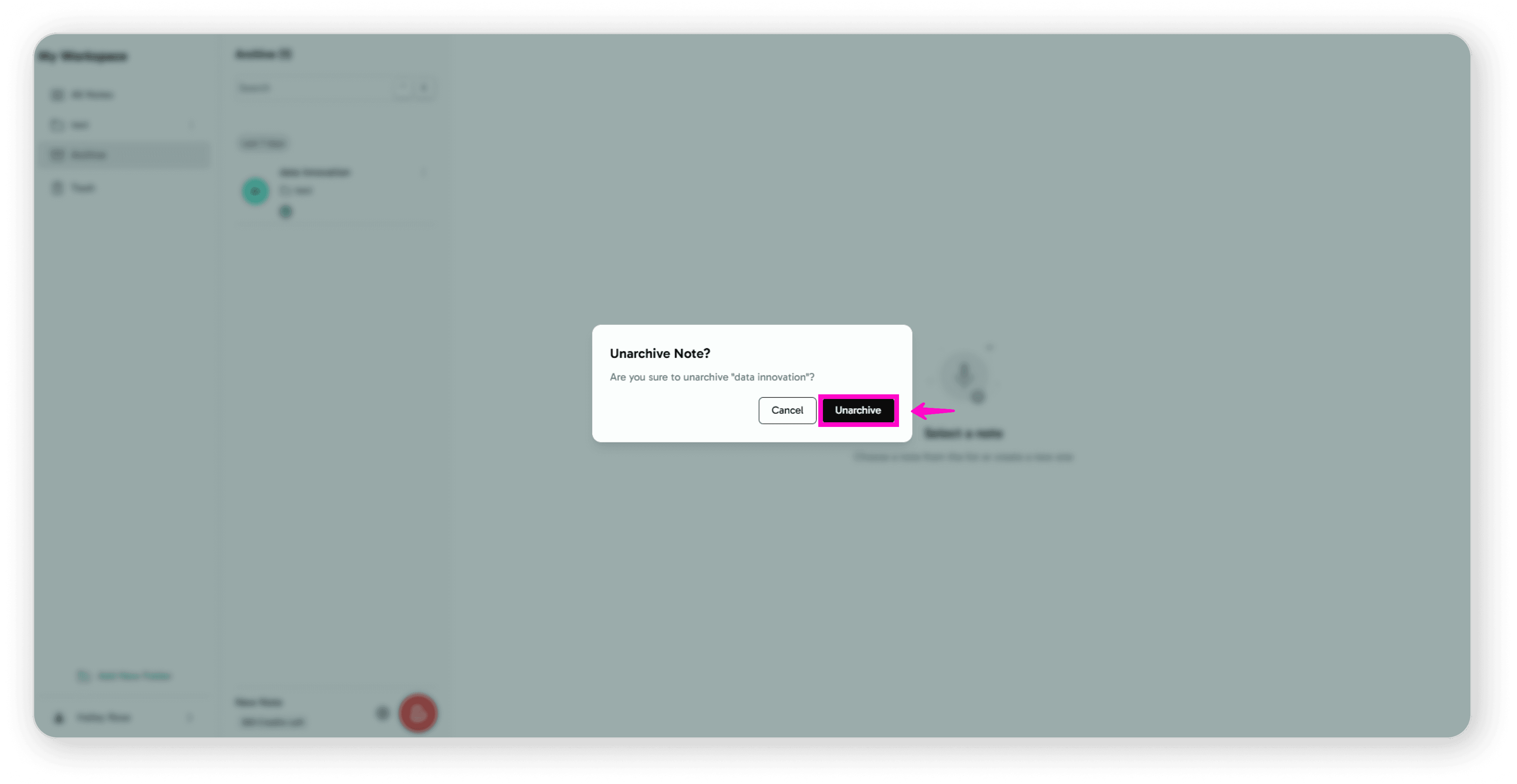
Click Unarchive
Option 2: Within the Note
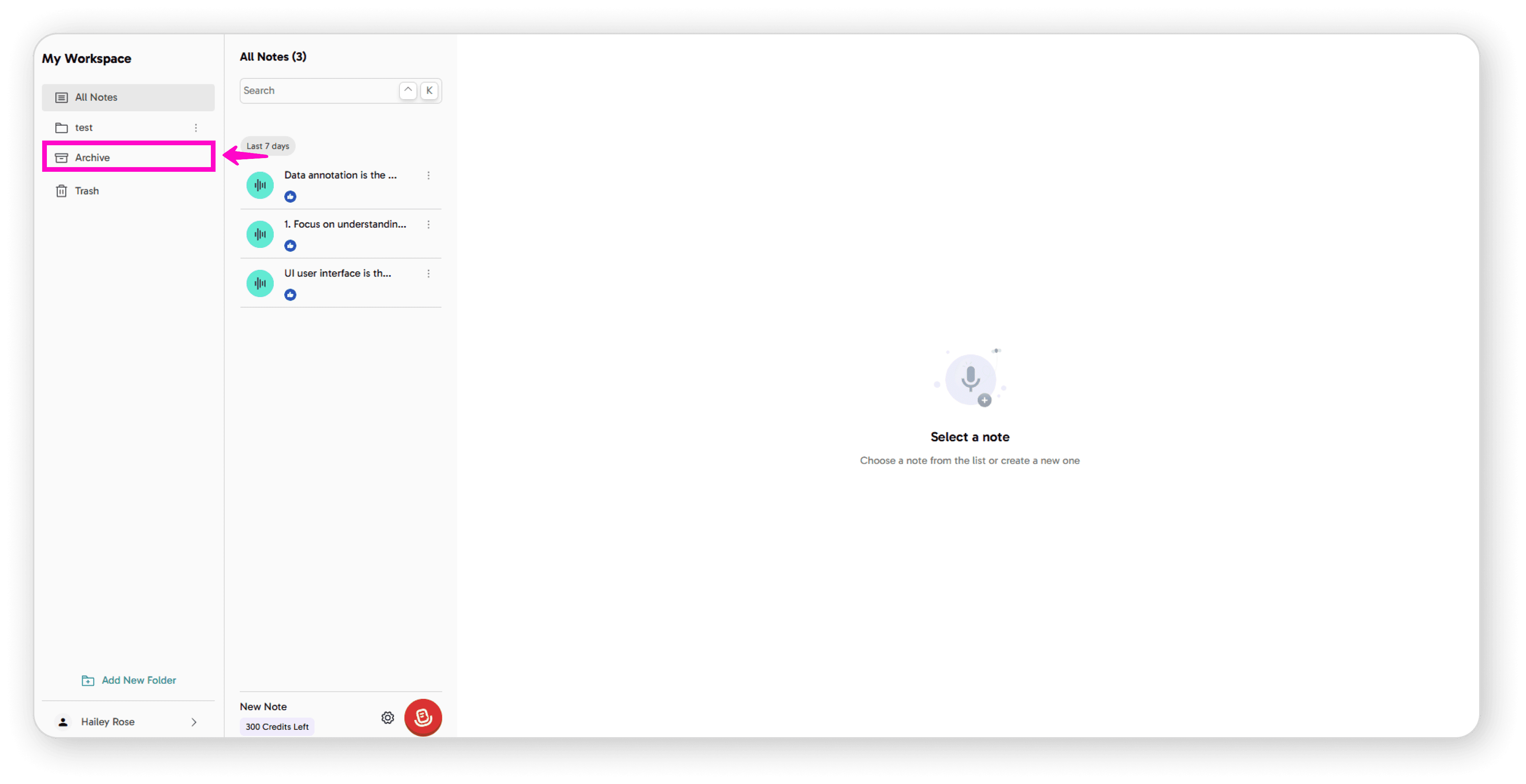
Click on Archive in the sidebar
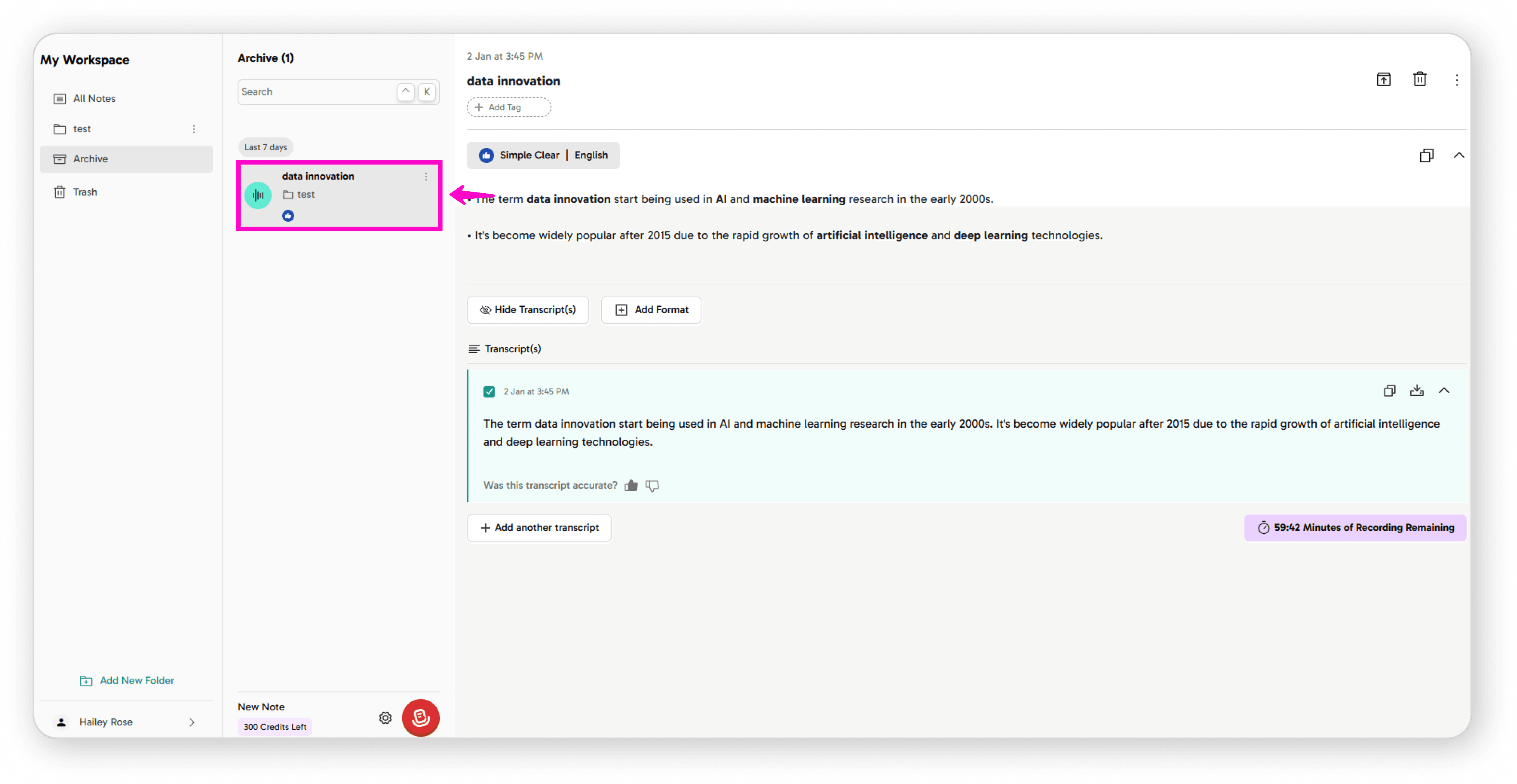
Open the note you want to unarchive
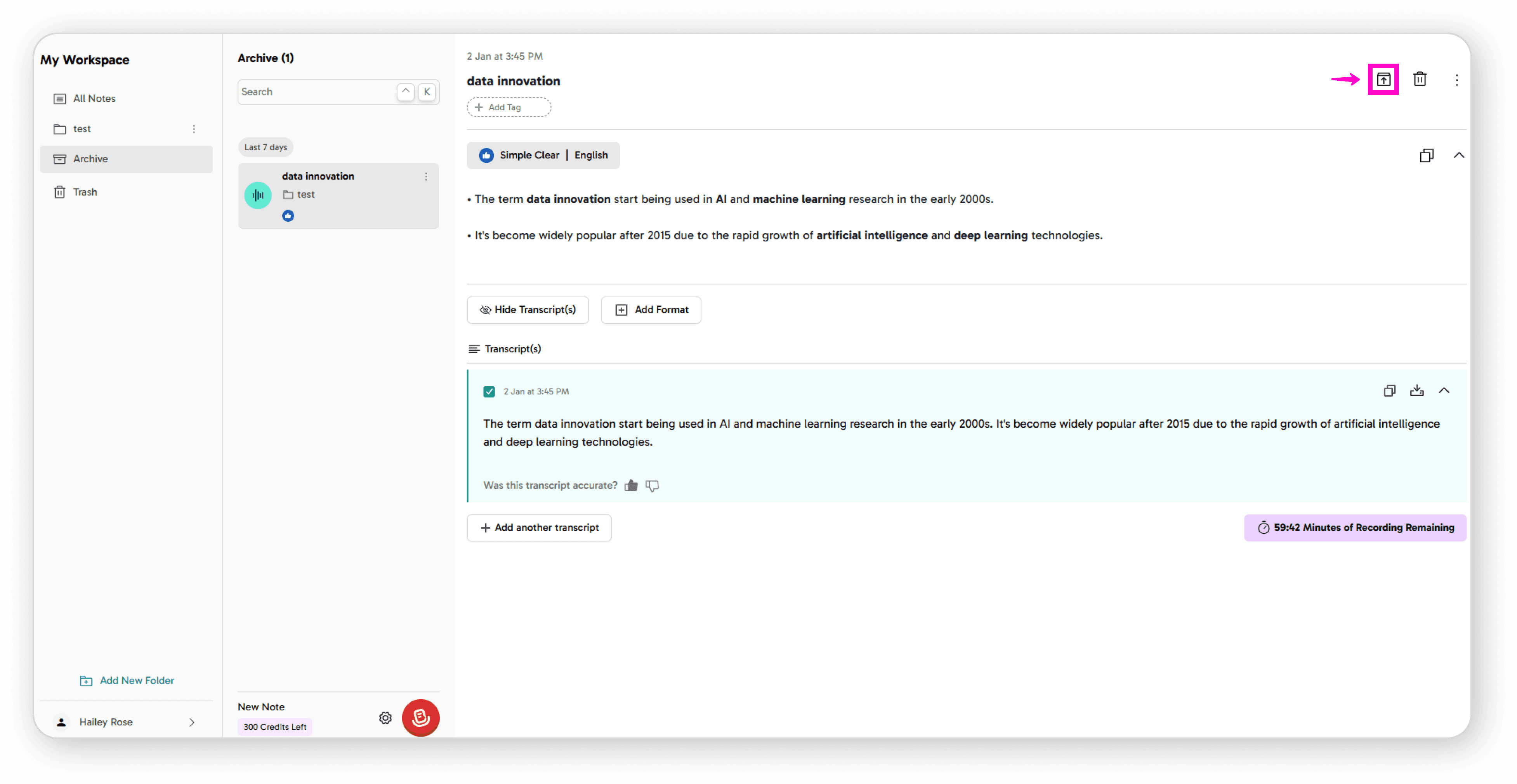
Click the Unarchive icon
Confirm by clicking Unarchive
Your note will now appear back in All Notes.